HEVCut press kit.
HEVCut frees up iPhone storage by compressing the photos and videos already in your library and clearing out the duplicates and clutter around them — without deleting a single memory.
Upcoming release · Updated 4 October 2026. Version 9.1 is currently available on the App Store.
Alejandro Pacheco — HEVCut app → Settings → Get in Touch
Written by a person, answered by a person. Replies within 24–48 hours, including review-code and interview requests.
- App
- HEVCut (listed on the App Store as “Video Compressor - HEVCut”)
- What it is
- An app that frees up storage by compressing the photos and videos already in your library, and clearing out the duplicates and clutter around them.
- Price
- Free to download with a limited number of free compressions. HEVCut Pro offers weekly and annual subscriptions, plus a lifetime purchase. Prices and offers vary by region; check the App Store or in-app purchase sheet.
- Platforms
- iPhone, iPad, and Mac. Requires iOS 26 or later, macOS 26 or later.
- Released
- First released 5 November 2024. This kit previews version 10.0; the public App Store version is currently 9.1.
- Developer
- Alejandro Pacheco, independent, London, UK.
- Category
- Photo & Video / Utilities. Rated 4+.
- Languages
- 26, including English, Spanish, German, French, Japanese, and Simplified Chinese.
- Website
- https://hevcut.com
Your library. One overview.
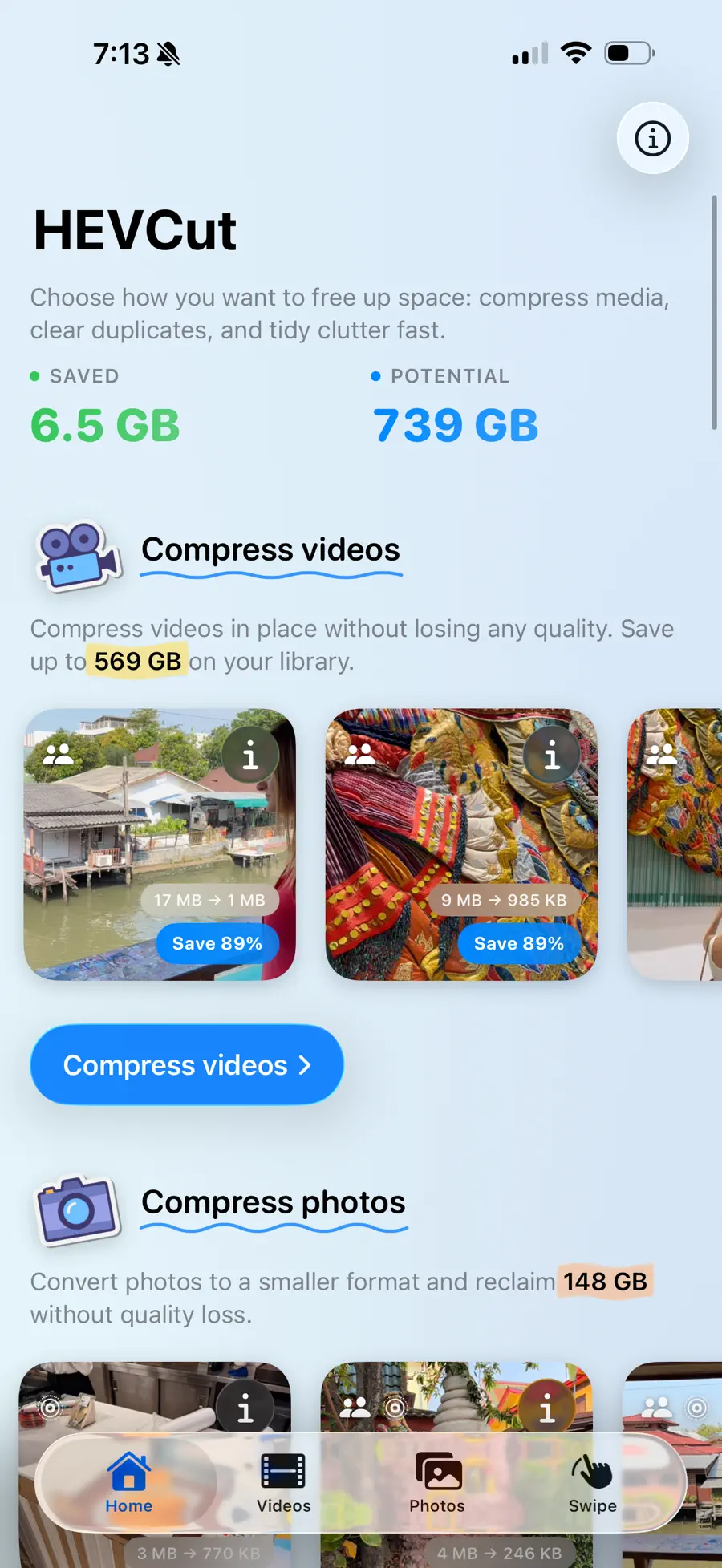
- A new Home overview brings compression, duplicates, clutter, and Swipe together, with library previews and estimated savings.
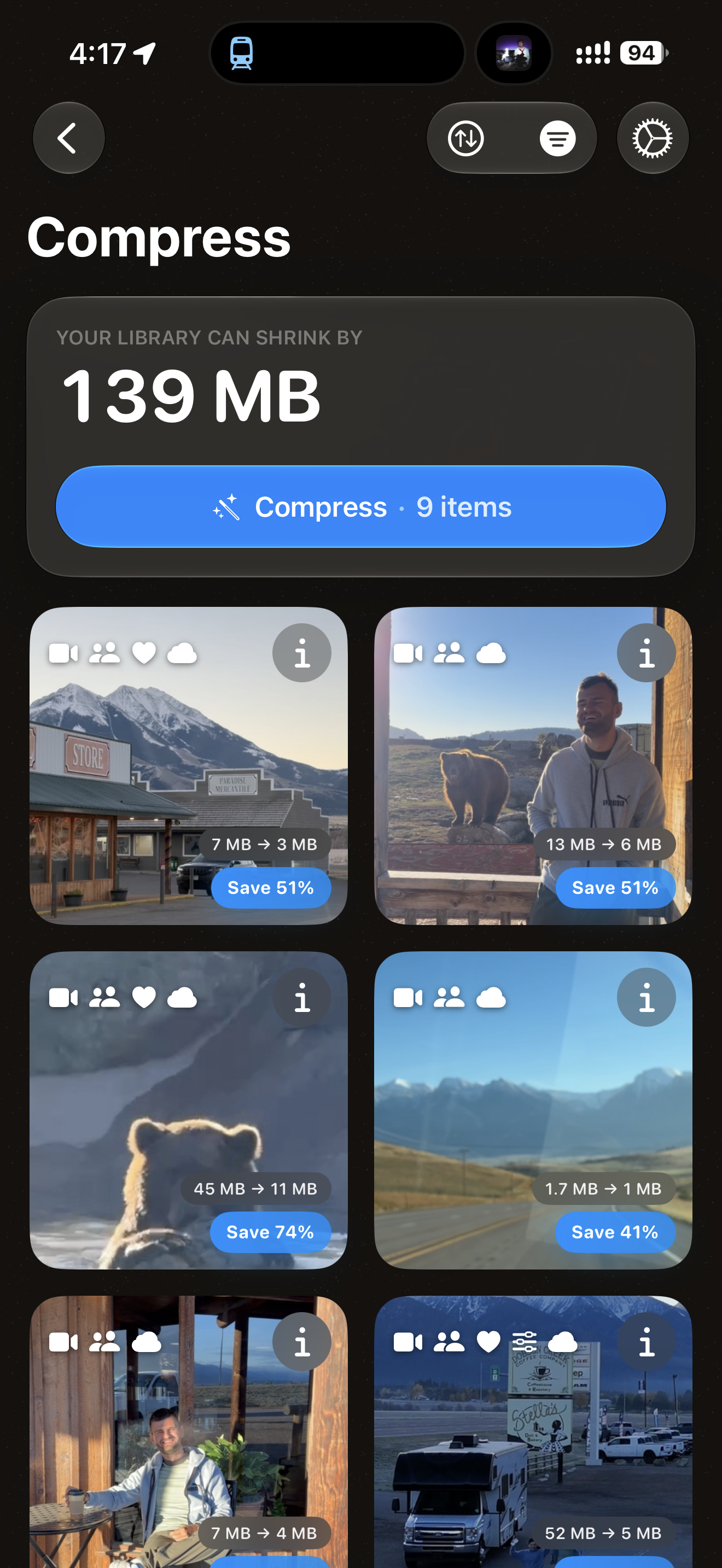
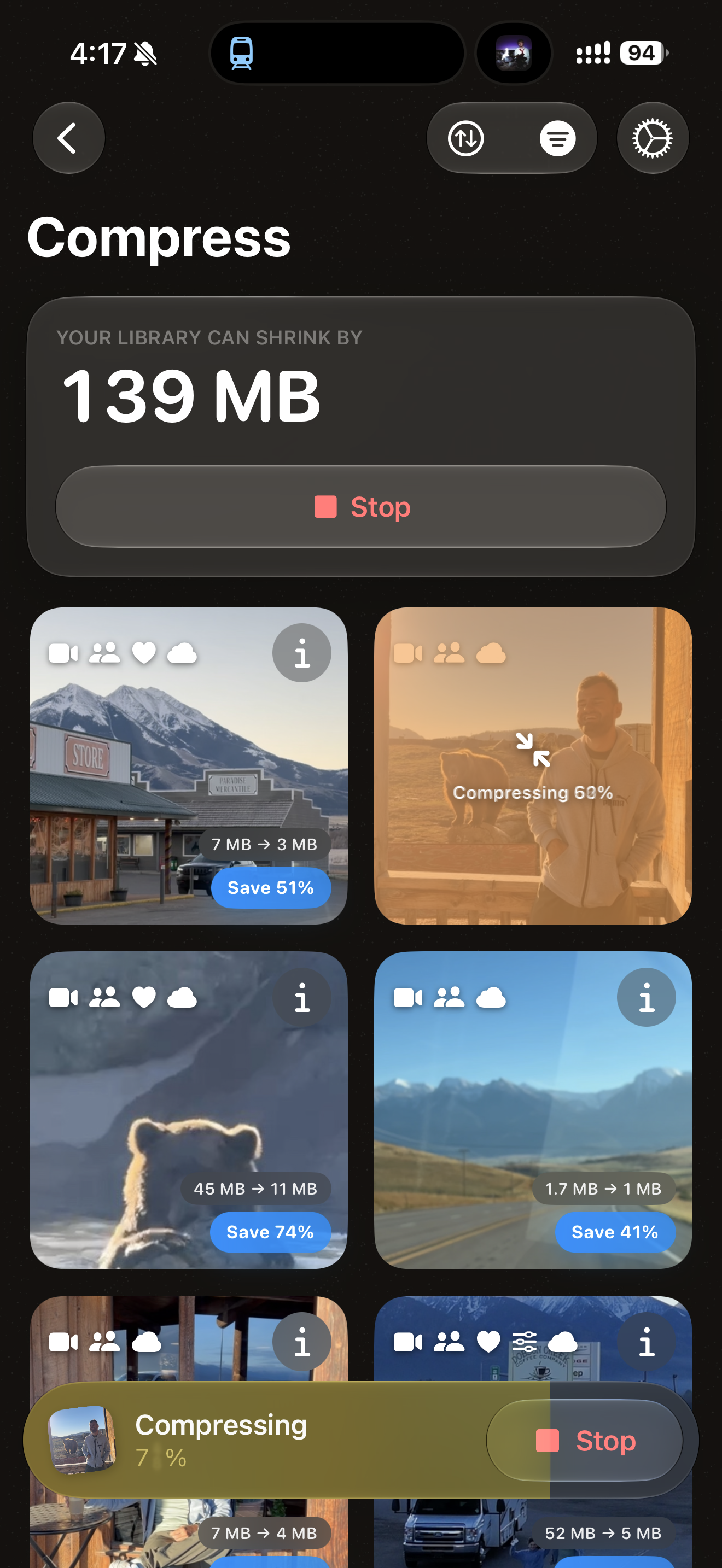
- Compression shows per-item savings in a media grid, with batch controls and review before removing originals.
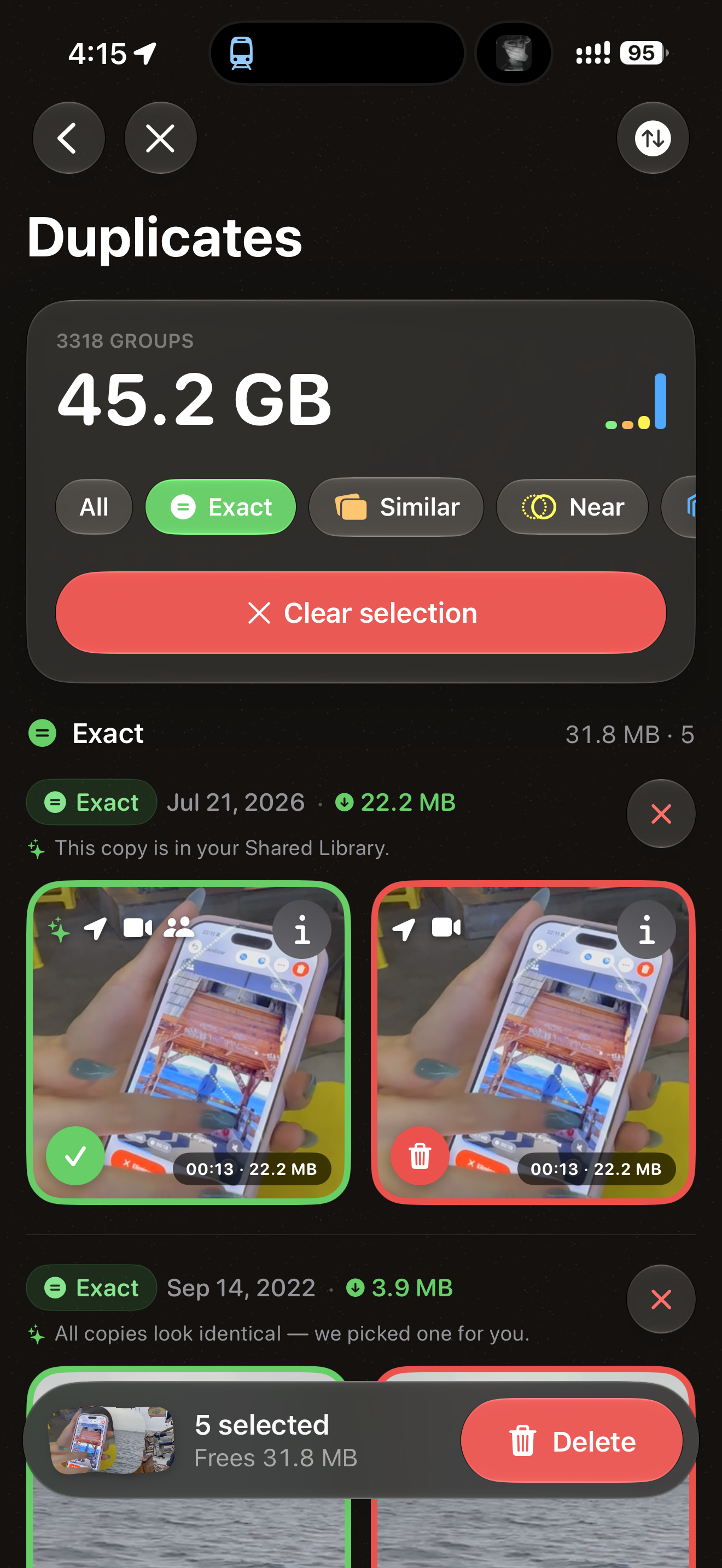
- Duplicate review separates exact, near, and similar matches, alongside burst groups, so you can choose what to keep.
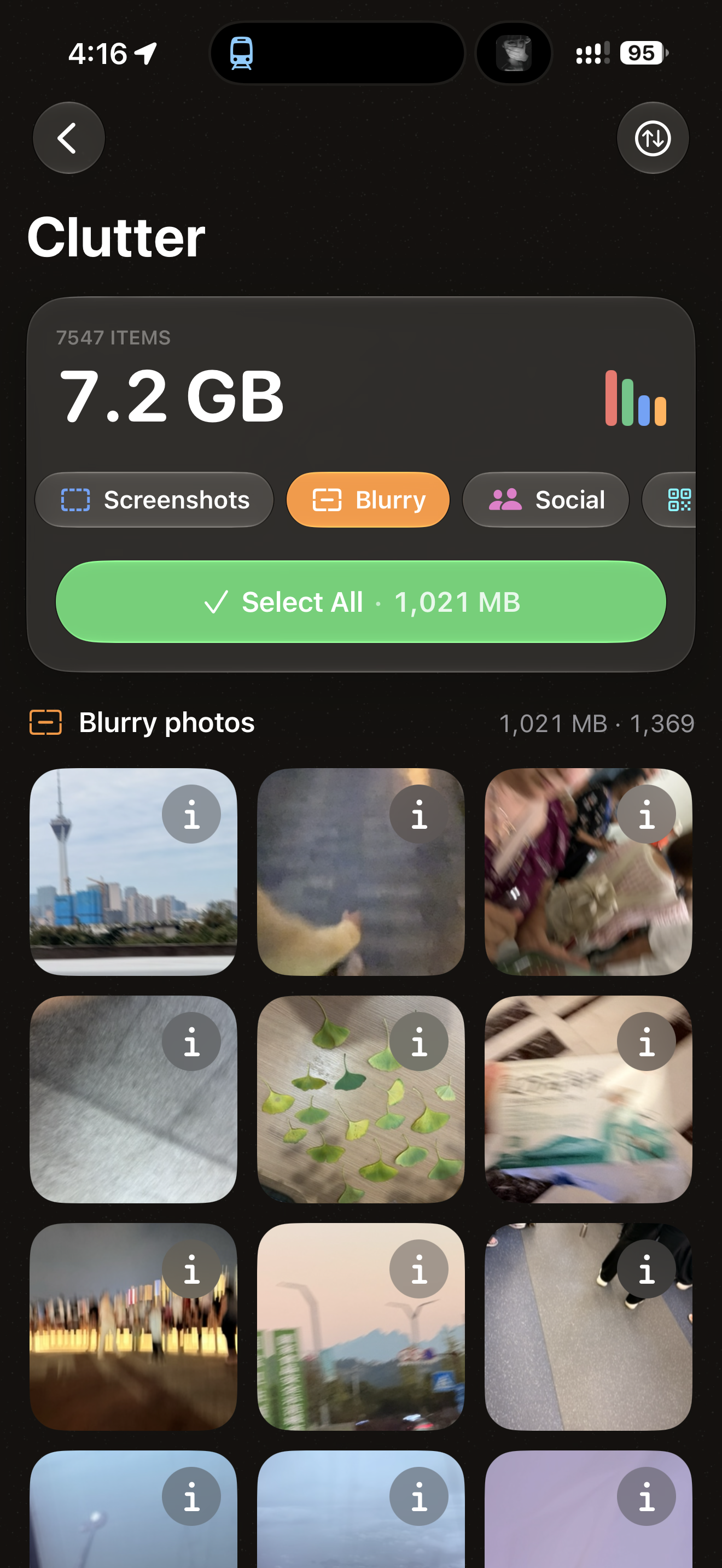
- Clutter review surfaces blurry photos, screenshots, and social downloads for a deliberate cleanup pass.
- Layouts adapt across iPhone, iPad, and Mac, with more room for previews and tool summaries in wider windows.
Take the copy. It is yours.
Three lengths, no approval needed. Quote any of it verbatim, cut it, or rewrite it — whatever fits the piece.
HEVCut frees up iPhone storage by compressing the photos and videos already in your library and clearing out the duplicates and clutter around them — without deleting a single memory.
HEVCut is a storage app for iPhone, iPad, and Mac that shrinks the photos and videos already in your camera roll instead of asking you to delete them. It creates smaller copies for you to review before replacing originals, often cutting file sizes by 50 to 80% depending on the source and settings, and pairs that with tools for the things quietly eating space around it: duplicates, burst sequences, Live Photos, and screenshots. Media processing runs on the device — no media uploads or account required. It is built for people who keep hitting “iPhone Storage Full” and would rather not pay for another iCloud tier: photographers with thousands of bursts, travellers, and anyone carrying a decade of camera roll. Version 10 brings compression, duplicates, clutter, and Swipe together in a new Home overview, with previews and estimated storage savings. HEVCut is free to download, with subscription and lifetime Pro options.
Every iPhone eventually runs out of room, and the advice is always the same: delete something, or pay a little more every month. Neither is much of an answer. A camera roll is not a junk drawer — it is a decade of birthdays, holidays, and ordinary days that nobody wants to triage from a storage warning.
HEVCut starts from a different premise: most of that space is not memories, it is inefficiency. A video shot a few years ago is stored in a far less efficient format than the same phone would produce today, and a photo saved out of a message can be many times larger than it needs to be. HEVCut creates smaller copies while preserving supported dates and metadata, and lets you review the results before replacing originals. Savings depend on the source and settings, often reaching 50 to 80%; the app shows the before and after so the decision is never blind.
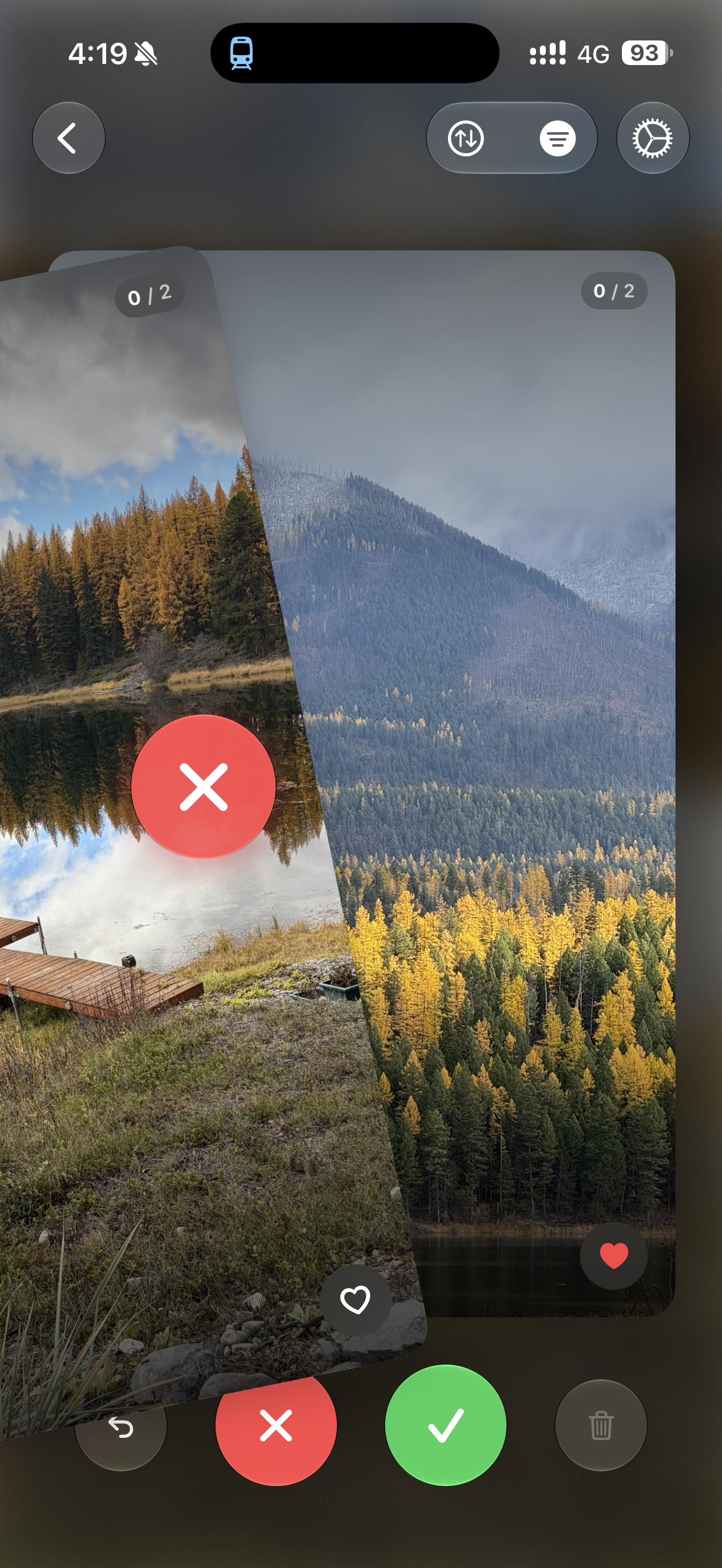
Around the compressor sit the tools for everything else. A duplicate finder groups identical and near-identical shots, including burst sequences, and pre-selects the copies worth losing while keeping the best one. A swipe view turns cleanup into a fast left-to-delete, right-to-keep pass. And a scanner surfaces the media that accumulates without anyone choosing it: screenshots, social downloads, and the video halves of Live Photos.
Media processing happens on the device, without uploading your library or requiring an account. Compression and cleanup work offline once the source media is available locally. When originals are removed from Photos, they remain in Recently Deleted until you permanently delete them or Photos removes them after its recovery period.
HEVCut is made by Alejandro Pacheco, an independent developer in London, and has been on the App Store since November 2024. It is free to download; a Pro upgrade removes the limit on how much you can compress.
- 01HEVCut compresses the videos and photos already in your library, with HEVC video and HEIC or AVIF photo output. Savings and visual differences depend on the source and compression settings.
- 02A duplicate finder groups identical and near-identical shots, including burst sequences, and pre-selects the copies worth deleting while keeping the best one.
- 03A swipe view turns library cleanup into a left-to-delete, right-to-keep pass through the photos most likely to be clutter.
- 04HEVCut finds the media that accumulates on its own — screenshots, social downloads, and the video component of Live Photos — and clears it in bulk.
- 05Media processing runs on the device, with no media uploads or account required. iCloud-only originals must be downloaded before they can be processed.
Straight out of the app: no device frames, no headline overlays, no watermarks. These v10 iPhone captures show an example library in dark appearance; the storage figures illustrate that library, not guaranteed savings. Click any one to download the full-resolution PNG.




Or just take the whole thing.
Every screenshot, every icon size, the logo, and a plain-text copy of this fact sheet — one file, no form, no email gate.
hevcut-press-kit.zip (19 MB)HEVCut is made by Alejandro Pacheco, an independent developer based in London. He has been building software for over eight years and has shipped more than twenty iOS and Mac apps since 2024, mostly small utilities that do one unglamorous job well. HEVCut started with his own camera roll: a phone permanently at “Storage Almost Full”, and no interest in renting more space for it.
alepacheco.devAlejandro Pacheco — HEVCut app → Settings → Get in Touch
Need something that is not here — a specific screenshot, a screen recording, a promo code, a quote on deadline? Ask. It is one email and one person, so the answer comes back fast.
← Back to hevcut.com